PDF Reader - PDF Viewer
QR Code Scanner.Productivity
4.310.26K Reviews
- Version
- 2.1.7
- Installs
- 100.00M
- Age Rating
- Everyone
Screenshots
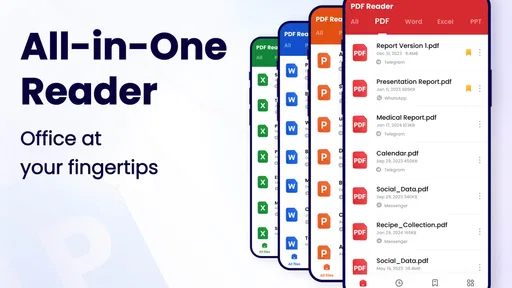
Our Review of PDF Reader - PDF Viewer
 Analysis by Appyee
I reach for PDF Reader - PDF Viewer when a document arrives on my phone and I need to find it, read it, or keep it from disappearing into a crowded downloads folder. It is a productivity app built around everyday document handling, rather than a full desktop-style office suite. That focus is useful: I can open a PDF, keep related files organized, and make basic notes without switching between several tools. It is most appealing if PDFs are part of your routine, though I would not treat it as a replacement for specialist software when a document needs complex editing or precise layout work.
What it is like to use now
The current release is version 1.9.9, and the app is free to install, with in-app purchases offered at different price points. It is made by QR Code Scanner and is rated for Everyone. The broad appeal is reflected in its 4.4 average from around one million ratings, alongside over 100 million installs. Those figures suggest it has become a familiar option for people who want a straightforward phone-based PDF reader, but popularity alone does not tell me whether it suits a particular workflow.
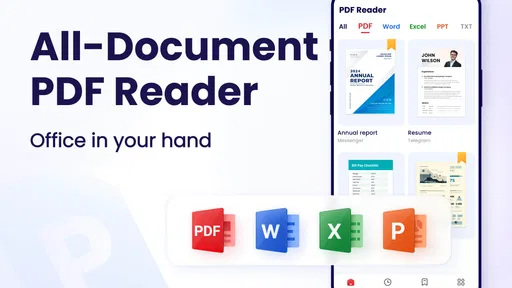
In practice, the strongest reason to keep it around is convenience. I can use it as a central place for documents I need to revisit, rather than opening whichever file appears first in a downloads list. Sorting by name, date, or size gives me a few useful ways to regain control when documents accumulate. Folders are especially handy when I separate work forms from travel papers or household records. The payoff is modest but real: less time searching, and fewer moments of wondering whether I saved the right copy.
Why the organization tools matter
A useful habit is to create a small number of folders that match the way I actually retrieve files. For example, I might keep current travel documents together and move finished paperwork elsewhere, instead of creating a folder for every individual file. Sorting by date can help when I have just downloaded a document and cannot remember its name; sorting by name works better when the file names are descriptive. Sorting by size is a practical way to spot unusually large documents before I decide what I still need on my phone.
This is not just tidiness for its own sake. A phone becomes a poor filing cabinet when every document is mixed together, especially when a form is needed in a hurry. Imagine arriving at a hotel and needing to pull up a booking document while standing in a queue. If I have filed it beforehand, the app’s organizational tools can make that quick. If I have not, no reader can rescue a chaotic folder instantly. The useful lesson is to spend a moment filing documents when they arrive, rather than waiting until the pile becomes difficult to search.
Reading, marking, and working offline
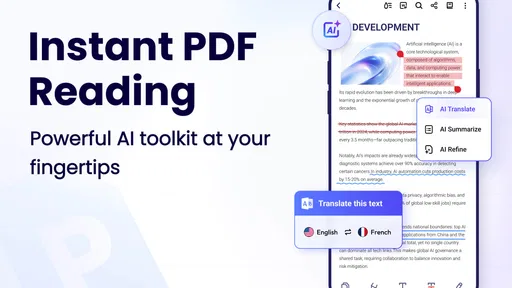
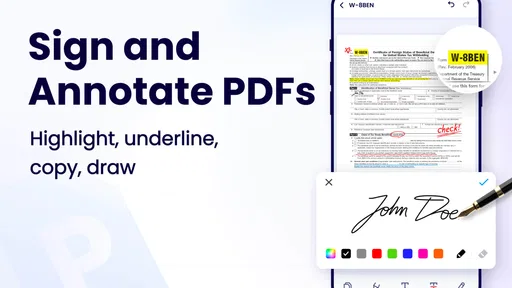
For reading, the zoom control makes it easier to inspect small print on a phone screen. I find that more useful for forms and dense pages than for long stretches of comfortable reading, where a larger screen is naturally easier on the eyes. The annotation tools offer a practical way to highlight a passage, add a comment, or draw directly on a document. That can help me mark a clause to revisit or point out a detail before sharing my thoughts with someone. I would still keep an untouched copy of an important original before making changes, so my notes do not become confused with the source document.
Offline access is another meaningful part of the experience. Once a file is saved on the device, I can open it without relying on a connection, which is useful during travel or in places with unreliable Wi-Fi. A sensible routine is to check that a document is available locally before leaving home, rather than assuming that a file stored somewhere else will be accessible on demand. That small check matters for tickets, forms, or reference material needed away from a network. It also makes the app more useful as a simple personal document shelf, not just a viewer for files I happen to open once.
One trade-off is that phone-based annotation is best for quick, informal work. Tapping out a short note or highlighting a line is convenient; carefully revising a long report, rearranging page layouts, or doing detailed document production is a different job. A computer editor or a dedicated PDF tool is a better choice when accuracy and extensive changes matter. I also would not assume every document will feel equally comfortable on a small screen: zoom helps with detail, but it cannot create more display space. For a long contract, I would use the phone to locate or check a section and move to a larger screen for a careful full review.
How it compares and who should choose it
Compared with a basic PDF viewer that only opens files, this app’s appeal is the combination of reading, organizing, and annotation in one place. Compared with a full office suite, it is a lighter option for people whose main task is checking documents rather than creating elaborate ones. That distinction is worth keeping in mind: if your needs are mostly opening a form, keeping a few folders, and marking a passage, a focused reader can be less cumbersome than a broad productivity suite. If you regularly edit complex documents or collaborate on detailed revisions, the broader tool may be worth the extra setup.
I think it suits students keeping reading material together, people who receive forms on their phones, and anyone who wants a practical place for PDFs they may need offline. It can also help a small-business owner review a document while away from a desk, provided the task is a quick check rather than final, precision-sensitive editing. It is less compelling for someone who rarely handles PDFs, already has an organizing system that works, or expects a phone app to replace a desktop publishing workflow. The best fit is a person who values convenient access and light annotation more than advanced document control.
Evolution, expectations, and everyday fit
The app was released on January 25, 2022, and its current version is 1.9.9. Those details establish a timeline and current version, but they do not by themselves show which features changed between releases. I would judge it by what is available in the version I use, rather than assuming a particular improvement or expecting a future feature. For existing users, that means the sensible approach is to check how the app handles their own documents after an update and keep important originals stored safely. A version number is useful context, not a promise about what has been added.
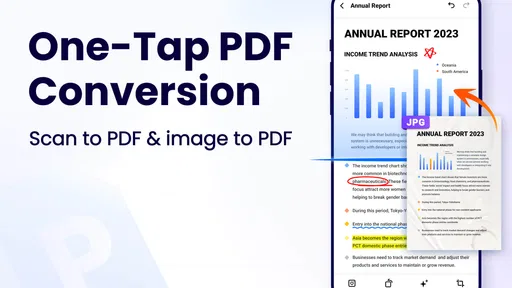
The store summary also points to DOCX file management alongside PDF use, so the app may be relevant if both formats arrive in your day-to-day paperwork. I would test the specific files I depend on instead of assuming every complex document will behave exactly as it does in its original editing program. For an occasional DOCX or a quick reference, having another format available in the same document routine can be convenient. For careful editing, formatting-sensitive work, or a document that must look identical across devices, I would still use the application designed to create it and check the final result there.
Before making this your main document habit, I would try a few real tasks: open a PDF received through your usual routine, put it in a folder you will remember, add a harmless test annotation, then reopen it without a connection. That simple trial answers practical questions more reliably than a feature list: whether the file is easy to locate, whether notes suit your needs, and whether offline access fits your travel or work routine. If you plan to use the DOCX side, test a representative file as well. The app is free to start, while in-app purchases range from $4.49 to $69.99 per item, so I would check what an offered purchase includes before paying and decide whether it solves a real need.
Organize Like a Pro
Let's dive into the juicy stuff. Right off the bat, the thing that struck me was how PDF Reader - PDF Viewer makes organizing your files a breeze. You can sort your documents by name, date, or size, and even create folders to keep everything neat and tidy. It's like having a personal assistant in your pocket. I mean, who doesn’t love a little extra help?
Viewing and Annotating
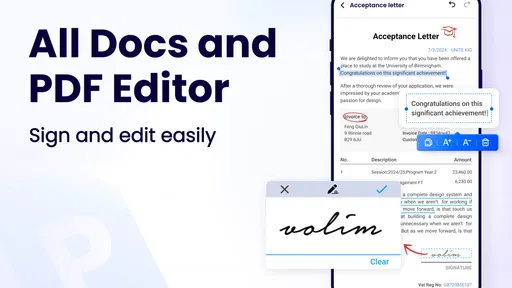
When it comes to viewing PDFs, this app doesn't disappoint. The zoom function is super smooth, allowing you to get up close and personal with your documents without any annoying lag. Plus, the annotation tools are on point! Whether you need to highlight text, add comments, or draw directly on the document, this app has you covered. It's like having a mini-office right on your phone.
Offline Accessibility
Now, let's talk about one of my favorite features—offline accessibility. You can save your documents and access them anytime, anywhere, without needing to be connected to the internet. This is a lifesaver when you're on the go or in a place with spotty Wi-Fi. Trust me, your future self will thank you for having this app when you need that last-minute flight check-in or important contract review.
User-Friendly Interface
I have to give a shout-out to the user interface. It's clean, intuitive, and just plain easy to navigate. Even if you're not super tech-savvy, you'll find your way around without any hiccups. The developers really nailed it with this one, making it accessible for everyone from tech newbies to seasoned pros.
In conclusion, if you’re juggling multiple PDFs daily or just need a reliable app to manage your documents, PDF Reader - PDF Viewer is definitely worth checking out. It’s got all the features you could want, wrapped up in a sleek, user-friendly package. So go ahead, give it a try, and see how it can transform your document management game.
Privacy and Permissions
See what permissions an app requests and how it handles your data.
- Photos/Media/Files
- read the contents of your USB storage, modify or delete the contents of your USB storage
- Storage
- read the contents of your USB storage, modify or delete the contents of your USB storage
- Camera
- take pictures and videos
- Other
- view network connections, full network access, control vibration, prevent device from sleeping, read Google service configuration
Verdict
Strengths of PDF Reader - PDF Viewer
- User-friendly interface for easy navigation.
- Supports multiple file formats beyond PDFs.
- Quick search feature to find text instantly.
- Annotation tools for note-taking and highlighting.
- Offline access to files without internet.
Limitations of PDF Reader - PDF Viewer
- Limited free version features.
- Occasional ads can be distracting.
- Large files may load slowly.
- Some advanced tools require subscription.
- No cloud storage integration.
Other Releases by QR Code Scanner.
View All
All Video Downloader & Player
Tools4.5

QR Code Scanner & Scanner App
Tools4.7

Document Reader & PDF Editor
Productivity4.5

Ringtones for Android Phone
Music & Audio4.8
Similar Picks in This Category
View All
Google Calendar
Google LLC4.6

Google Drive
Google LLC4.3

Google Assistant
Google LLC3.9

Microsoft OneDrive
Microsoft Corporation4.6

Samsung Calendar
Samsung Electronics Co., Ltd.4.1

Microsoft OneNote: Save Notes
Microsoft Corporation4.6
Frequently Asked Questions
What features does PDF Reader - PDF Viewer offer?
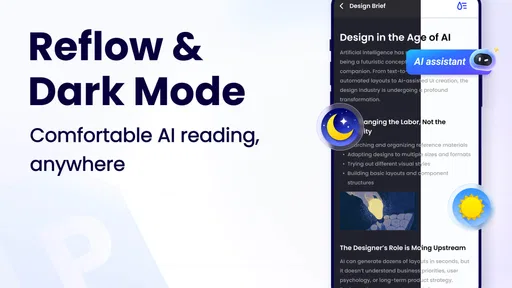
PDF Reader - PDF Viewer provides a range of features including the ability to view, annotate, and manage PDF files. Users can highlight text, add comments, and even fill out forms. The app also supports various reading modes to enhance the user experience, such as night mode and continuous scroll.
Is PDF Reader - PDF Viewer free to use?
Yes, PDF Reader - PDF Viewer offers a free version with basic features. However, there might be premium options available for users who need advanced functionalities, such as ad-free usage, enhanced editing tools, and cloud storage integration. It's advisable to check the app store for specific pricing details.
Does PDF Reader - PDF Viewer work offline?
Yes, PDF Reader - PDF Viewer is designed to work offline, allowing you to access and read your PDF files without an internet connection. This feature is particularly useful for users who need to work on documents while traveling or in areas with limited connectivity.
Is PDF Reader - PDF Viewer compatible with all devices?
PDF Reader - PDF Viewer is compatible with most Android and iOS devices. It supports a wide range of smartphones and tablets, ensuring a seamless experience across different platforms. Always ensure your device meets the minimum operating system requirements for optimal performance.
How secure is PDF Reader - PDF Viewer for handling sensitive documents?
The app prioritizes user security by employing encryption and secure access protocols. Users can protect sensitive documents with passwords and restrict access as needed. However, it's important to regularly update the app to benefit from the latest security enhancements and patches.
